How To Create a SignalWire Personal Access Token
Obtaining an Access Token
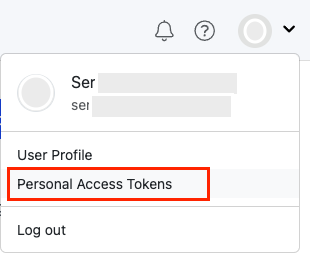
A SignalWire account is now required to download the pre-build FreeSWITCH binaries. First create a SignalWire space, then go to the Personal Access Tokens section located on the left side of the dashboard. From there, create a Personal Access Token. Click here to learn more.
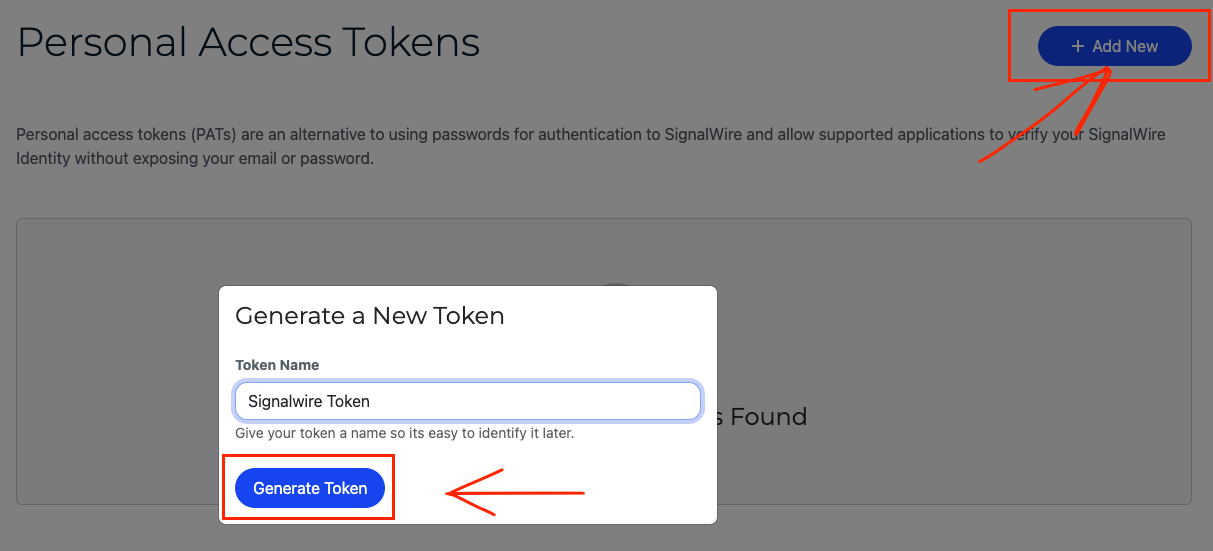
Generate a new token.
Revoking an Access Token
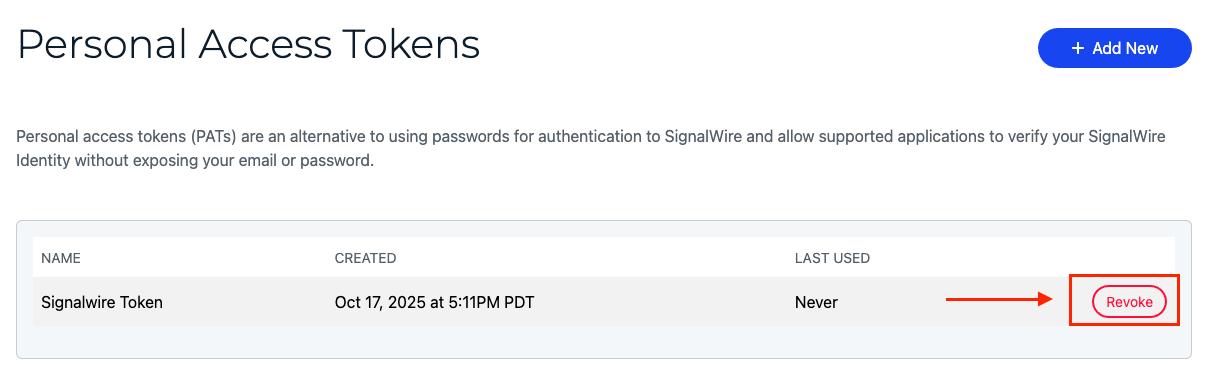
To initiate the revocation of your Personal Access Token, please navigate to the Personal Access Tokens section within your SignalWire space. Within this section, you will be presented with a list of previously created tokens alongside the option to revoke them.